X5 FastMig
An industrial multi-process welding system with a 5.7 inch graphical panel, developed with professional welders and designed to be learned fast.
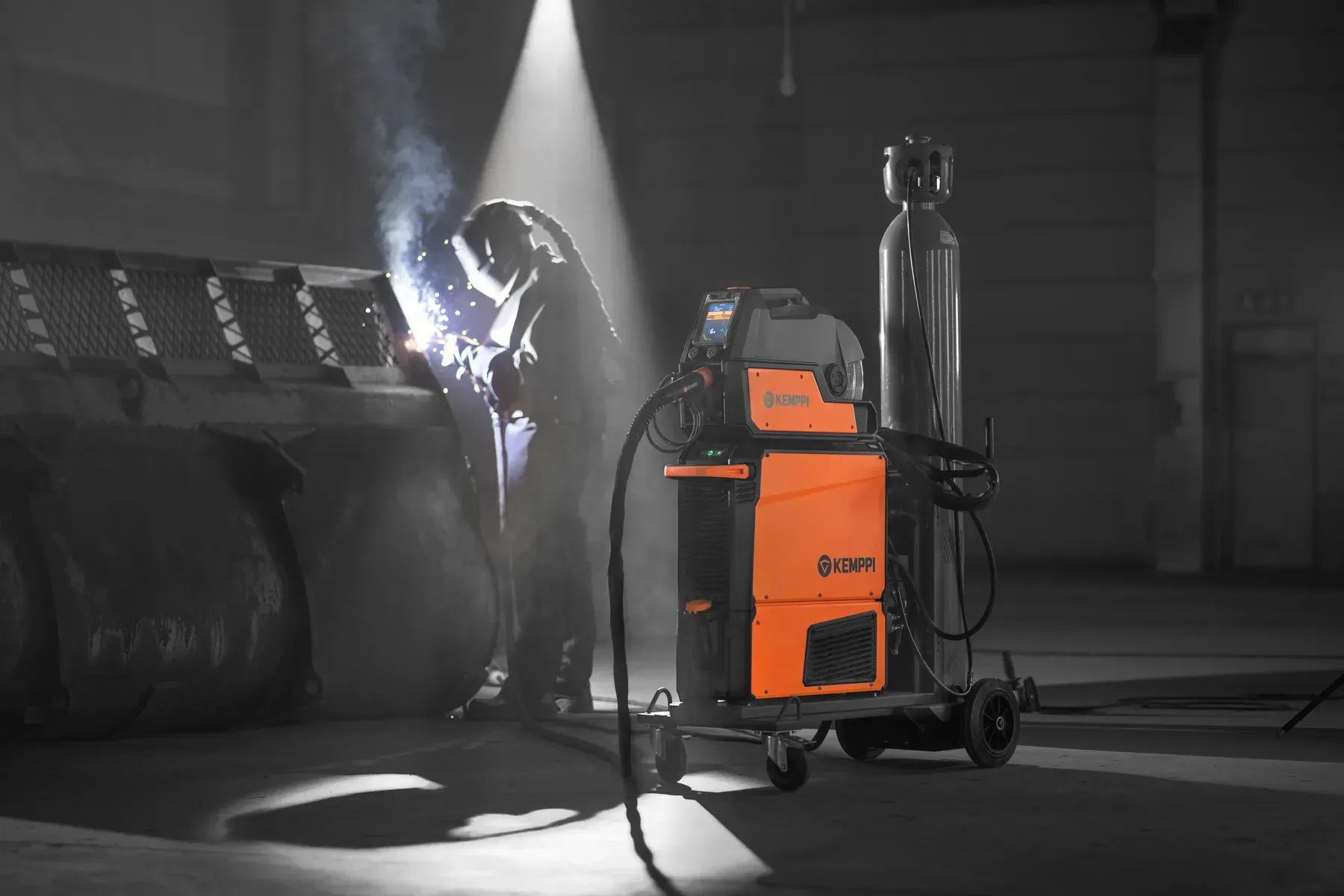
- 10 minutesTo learn the operating basicsKemppi brochure
- 5.7 inchGraphical panelImpact-resistant, no abbreviations
- Thick glovesControls made for themRotate-and-push buttons on the feeder
Figures and claims are from Kemppi's product brochure for the X5 FastMig.
On this page
A powerful machine that a new welder can start on
X5 FastMig is an industrial multi-process welding system, developed by Kemppi in collaboration with professional welders. It is made for demanding steel work, in 400 A and 500 A models.
I worked on its user experience and concepts as chief designer at Kemppi. The question behind the panel was a plain one: how does a powerful, many-process machine stay easy for someone new, and quick for someone experienced?
Learn it in ten minutes, even in thick gloves
Kemppi's brochure says the operating basics can be adopted within about ten minutes, and that the controls work with thick welding gloves on.
Those two sentences are the brief the panel had to meet: fast to adopt for new welders, and fast to trust for experienced ones.
Weld Assist: set up in three choices
Kemppi describes Weld Assist on the X5 FastMig as a guidance tool for faster MIG/MAG set-up. The welder picks the joint type, the welding position and the material thickness, and the machine is ready to weld.
It is the same idea as on the MasterTig: the machine carries the know-how, so a new welder does not have to find the settings alone. The photo shows the screen asking for the plate thickness, with a gloved hand on the knob. The film below is Kemppi’s own.
The X5 comes in three configurations, according to Kemppi: Pulse for demanding applications and materials such as aluminium, Auto for synergic welding, and Manual for setting your own parameters.
The screen, in a glove
Weld Assist in action
Kemppi’s film about Weld Assist. It loads from YouTube when you press play.
The panel and what it shows
Show the processThe panel
Brochure page on the user experience: the graphical panel, its three main screens and the manual option.
Decisions and what they cost
Three choices from the product, and what each one costs.
Set the parameters for the welder
- What we chose
- The graphical panel adjusts welding parameters automatically from one setting, the wire feed speed. Memory channels let people save their own.
- What it cost
- The machine decides first and the welder adjusts, so experts must be able to take control back.
- What followed
- A manual panel with a traditional two-knob layout is also available, with limited processes and functions.
Physical buttons on the feeder
- What we chose
- Sturdy rotate-and-push buttons that work with thick welding gloves on.
- What it cost
- Fewer touch gestures, so the screen shows more and the buttons carry the commands.
- What followed
- The panel is impact-resistant and shows the needed information clearly without abbreviations.
A system that is built to fit the job
- What we chose
- A wide range of accessories, from transport units to remote controls, and an online selector to build the setup.
- What it cost
- More combinations to understand, so the selector exists to show the machine in the shape the buyer needs.
- What followed
- In the selector a buyer sets the wire feeder placement and cable lengths, and turns the setup around to see it.
In use
Photography by Kemppi. Press a photo to open it full size.
Flexible setup
Show the processSetup
Brochure page on the flexible setup and the selector.
The range at a glance
Show the processThe range
Brochure overview of the system.
What I took from it
What this taught me about the user
Power is easy to add. The hard part is making it feel safe to use on day one.
- A machine that sets itself up gives a newcomer a good start. The expert still needs a way to override it.
- Controls that work in gloves are an accessibility decision as much as an ergonomic one.
- Plain words on the panel mean nobody has to learn a code before they can read the screen.
In motion
Films from Kemppi. They load from YouTube when you press play.
The system
A render of the full system.